AI Tools
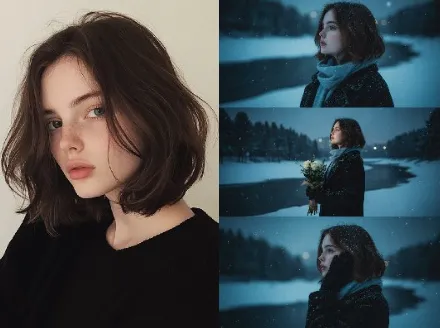
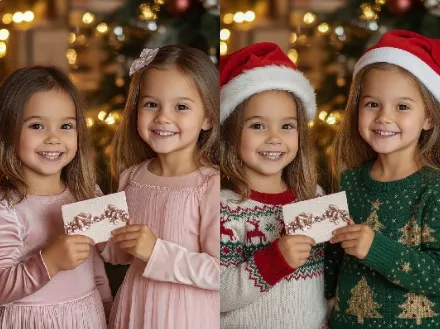
AI First Snow Photo Generator
AI First Snow Photo Generator AI Tools craft polished winter hero images instantly
A seamless tool suite for custom snowy scenes, high-res output, and batch processing
Real-World Applications
From creators to commerce teams, make winter visuals work harder
E-commerce Brands
Show seasonal products clearly with boosted detail and consistent backgrounds to increase conversions.
Travel & Tourism
Turn raw alpine photos into aspirational banners that invite clicks and bookings.
Content Creators
Save editing time and keep a cohesive aesthetic across Instagram grids and story reels.
Why Creators Choose This Snow Editor
Speed, fidelity, and consistent style so your winter visuals feel intentional
Fast Batch Enhancement
Process dozens of snowy photos at once so you get a finished set for socials or ecommerce in minutes.
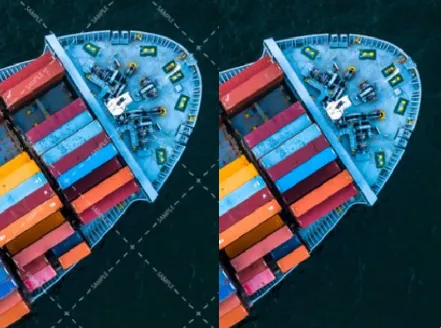
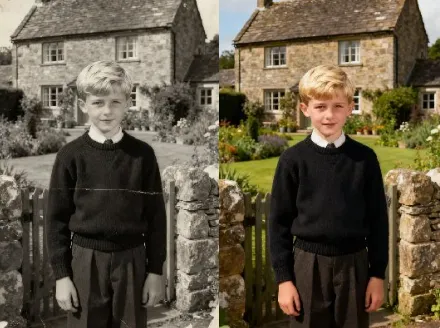
Natural-Looking Detail Boost
Recover crisp textures in coats, snowflakes, and landscapes without making images look artificial.
AI First Snow Photo Generator AI Tools for White Balance
Automatic color correction tailored to cold light keeps skin tones warm and backgrounds true to the scene.
Smart Noise Reduction
Reduce grain from low-light winter shots while keeping important edges and sparkles intact.
Custom Style Presets
Apply branded winter looks across campaigns so every image matches your visual story.
Intuitive Export Options
Save in multiple formats and resolutions ready for print, web, or commerce without extra steps.
How Can You Create Perfect Snow Shots?
Your 3-step path to studio-quality winter visuals
- Step 1
Upload Your Photos
You drag and drop your images into the interface and choose whether you want single edits or batch runs.
- Step 2
Pick a Preset or Customize
You select a mood preset or tweak exposure, detail, and warmth sliders to match your brand or vision.
- Step 3
Export and Share
You choose format and size, then export ready-to-use files for social, web, or print.
Frequently Asked Questions
Can I export images for commercial use?
Will edits affect copyright ownership?
Can I remove backgrounds or make custom crops?
How do I get consistent looks across a campaign?
Complete Your Brand Toolkit